

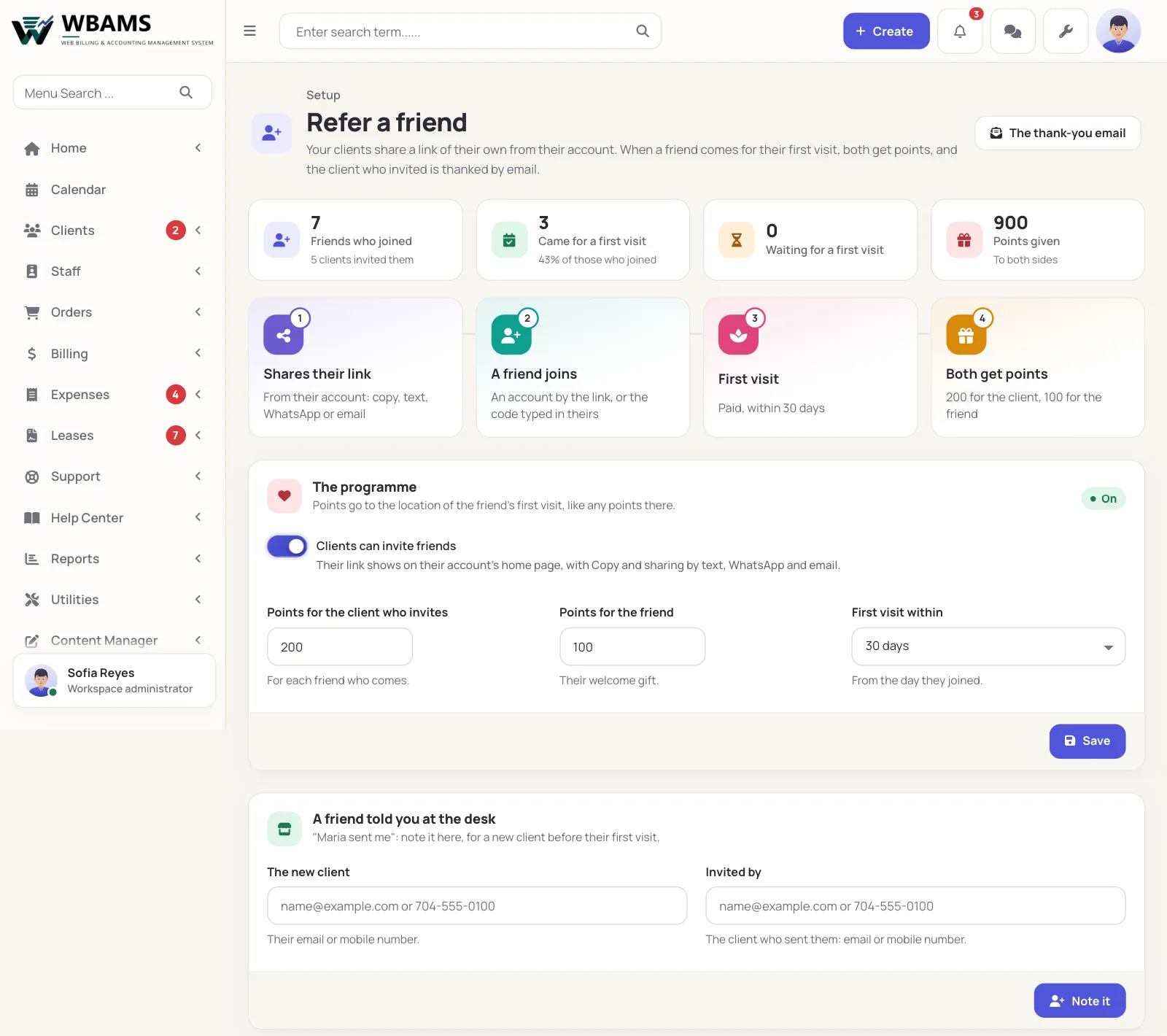
Each client gets a link and a code of their own. A friend who makes an account with it and comes for a first paid visit in time brings points to both: the client who invited, and the friend as a welcome gift. Points go to the location of the friend's first visit, like any points there.
Switch it on
- Open System Settings → Refer a friend.
- On the card The programme, switch on Clients can invite friends.
- Type the Points for the client who invites, for each friend who comes, and the Points for the friend.
- Under First visit within, choose 30, 60, 90 or 180 days from the day the friend joined.
- Press Save.
What clients see
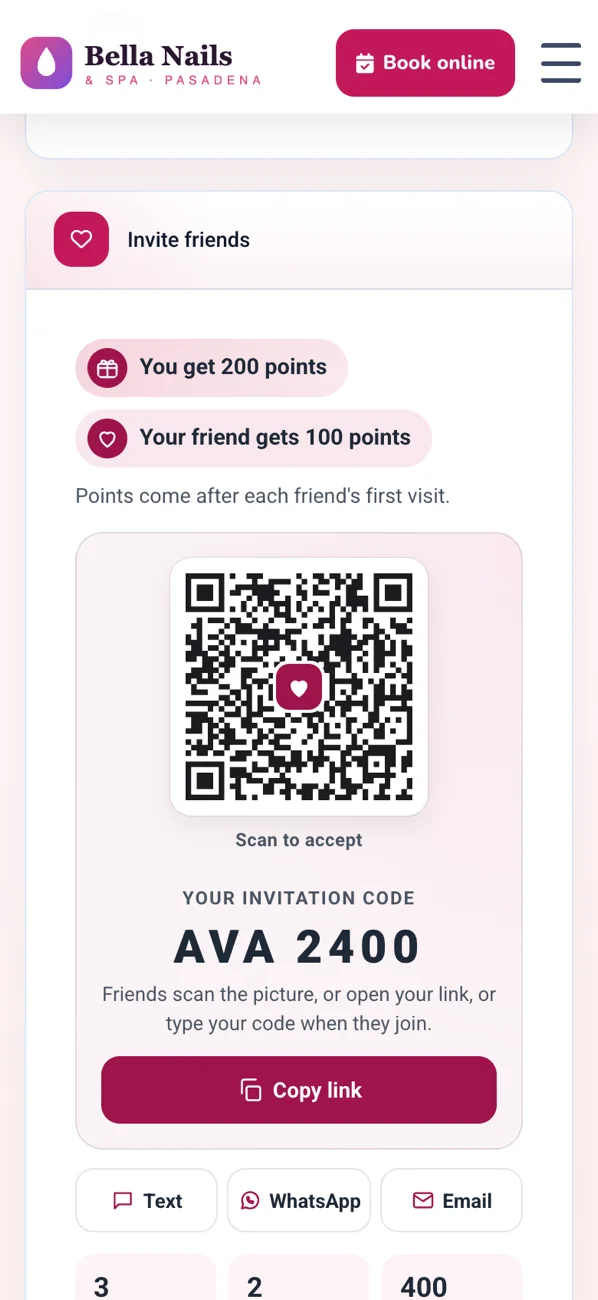
Each client's account home page shows their invitation: a QR code, their code, Copy link, and sharing by text, WhatsApp and email. A friend joins by the link, or types the code in their own account.
A friend who told you at the desk
When a new client says “Maria sent me”, note it before their first visit: under A friend told you at the desk, type The new client's email or mobile number and the one of the client who sent them under Invited by, and press Note it.
Latest invitations lists the friends who joined, who invited them, how, and where each stands. The thank-you email at the top opens the email the inviting client gets.