

Care notes keep what the next person who looks after a client needs to know: allergies and sensitivities, preferences, and a record of each visit with the formula used, notes and up to six before and after photos. Only the team sees them.
On the client's page
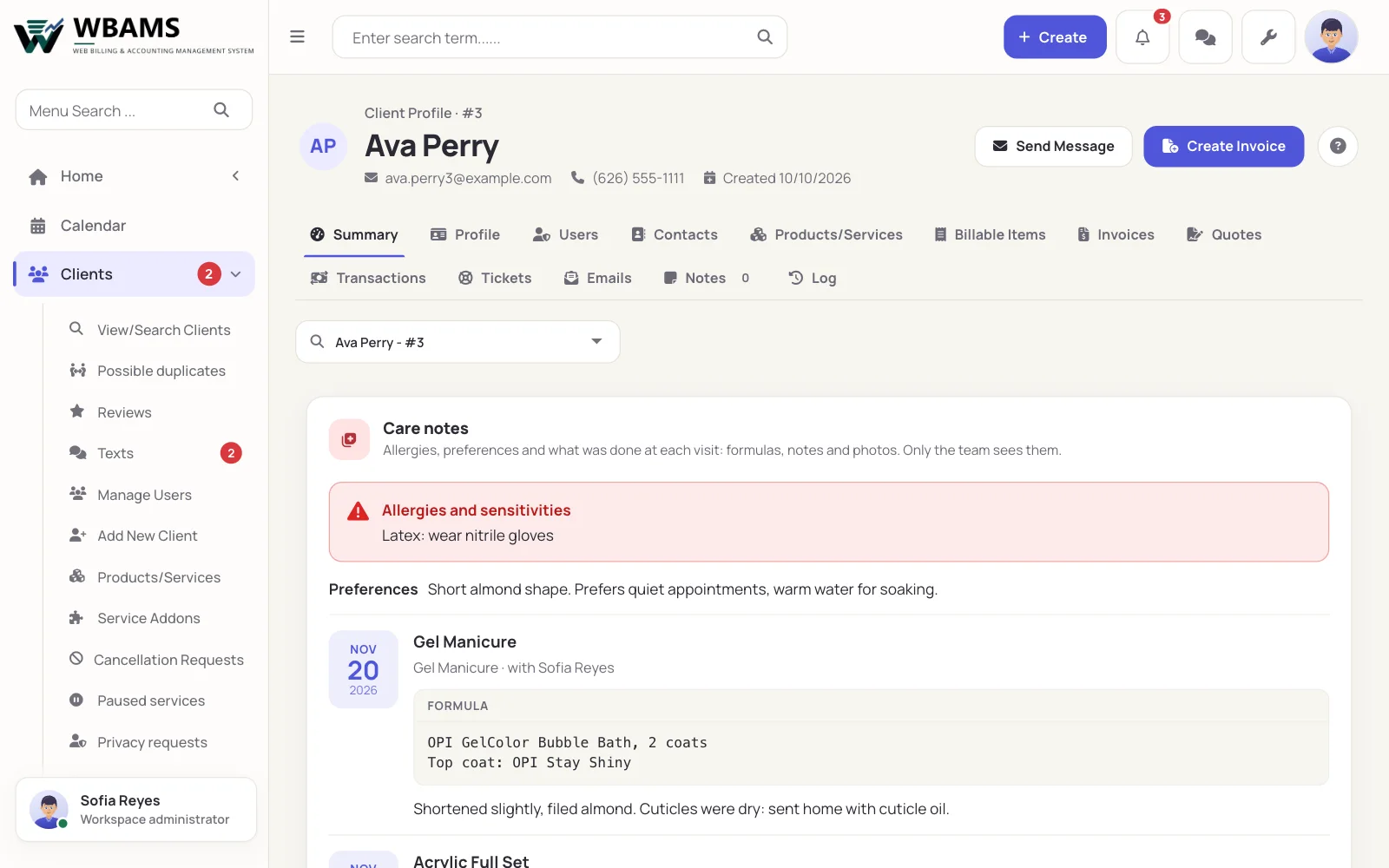
Every client's page in WBAMS has a Care notes card:
- Allergies and sensitivities, with an alert that shows wherever the client is opened.
- Preferences, such as shape, length or massage pressure.
- Care records, one for each visit: the service, who did it, the formula, notes and photos.
Add a visit's record
- Open the client's page and find the Care notes card.
- Press Add a care record. Choose the service and who did it, and type the formula and notes.
- Add up to six before and after photos, and save it.
- For a client who comes back for the same look, Repeat a formula starts today's record from an earlier one.
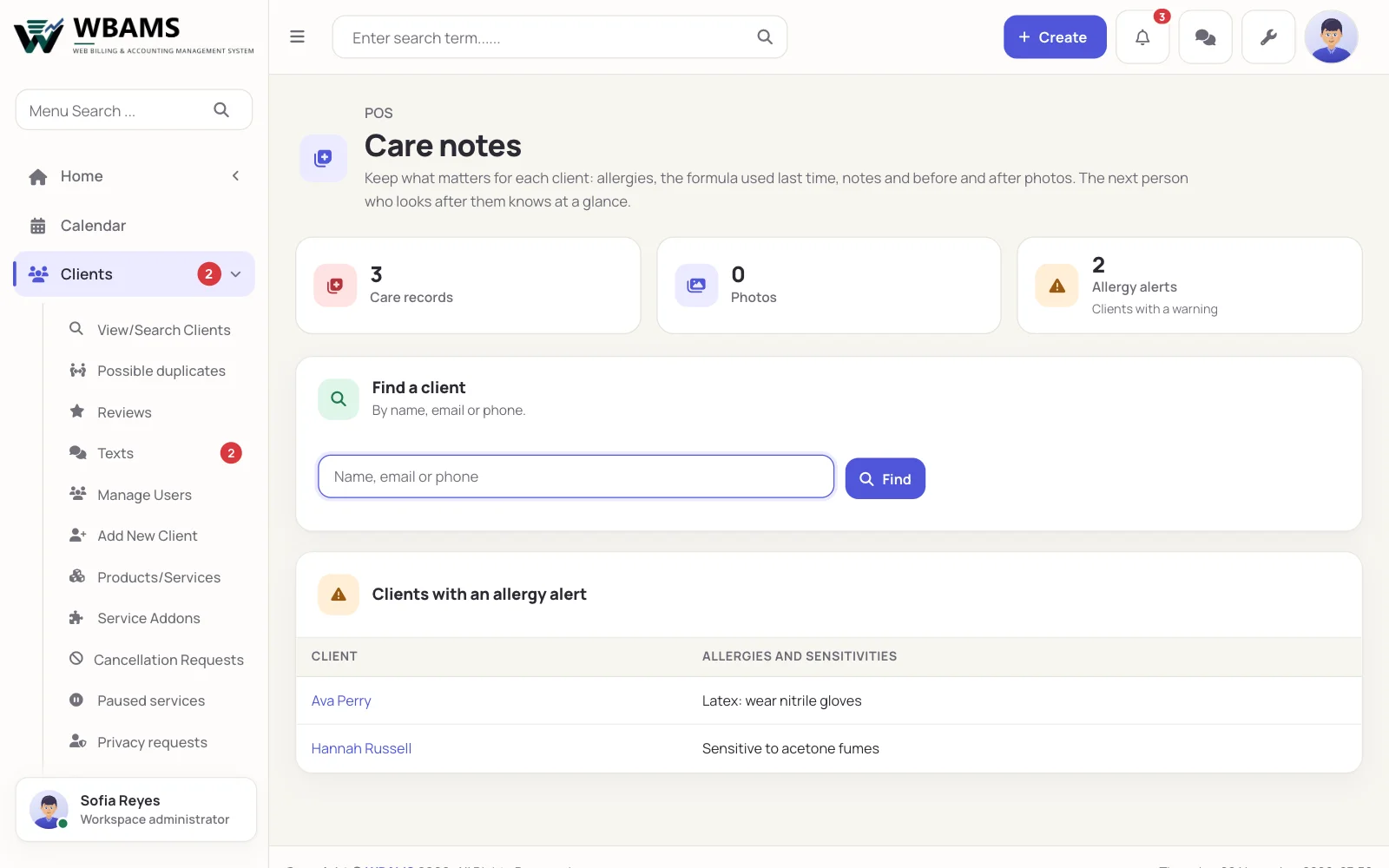
Find a client, and see every alert
System Settings → Care notes finds a client by name, email or phone, and lists Clients with an allergy alert.
Intake answers that need a look appear on the same client page, under Intake answers. See Intake forms.