

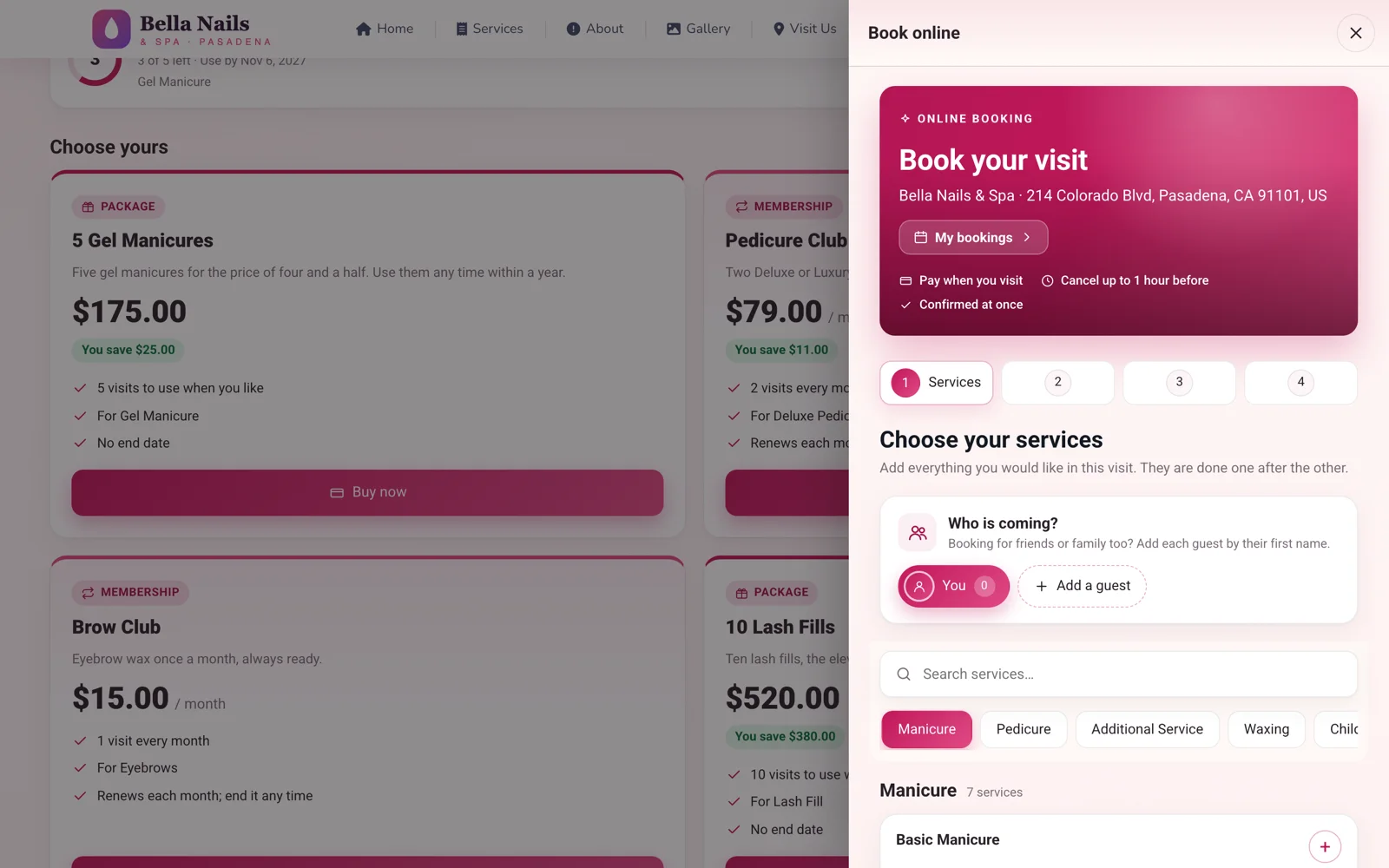
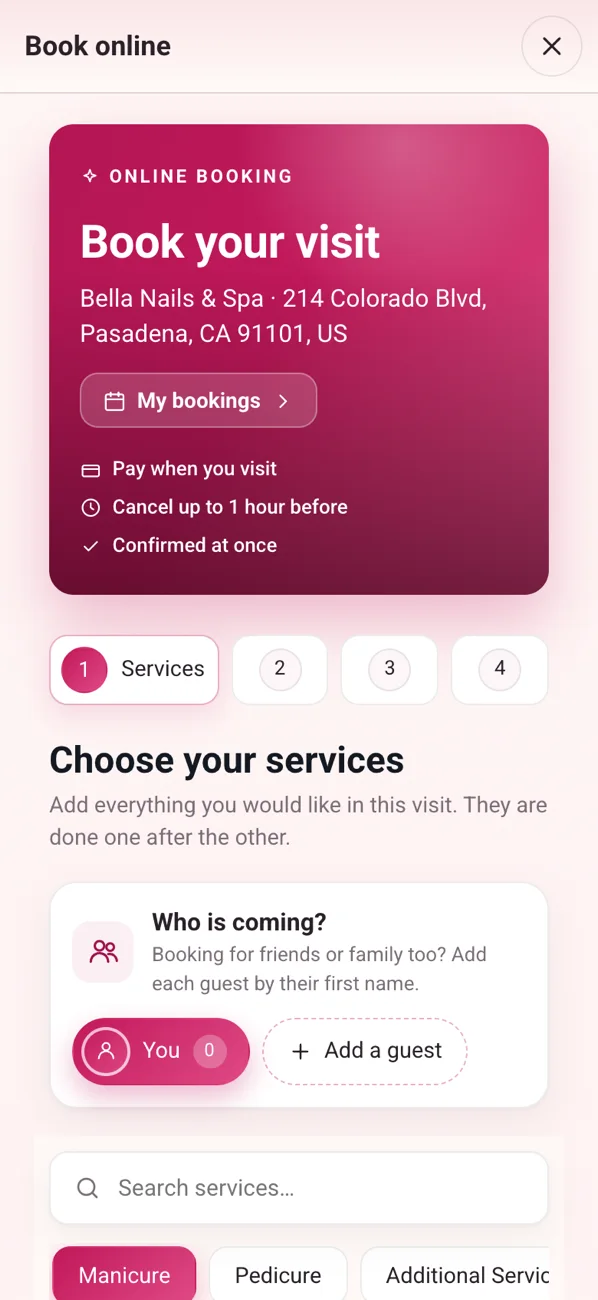
A client reading your services page or a news post can book without leaving it. Every Book online link on your website opens the booking in a panel over the page: from the side on a computer, and as a full sheet on a phone. Closing the panel takes them back to where they were. It is on from the start.
What clients see
The booking over the page
The panel holds the whole booking: the services, the person, the time and Confirm. Add-ons, off-peak prices, standing visits and the waiting list all work in it, as on the booking page itself.
Switch it on or off
- Open System Settings → General Settings and choose the Other tab.
- Under Booking online, tick or untick Book from any page.
- Press Save Changes.
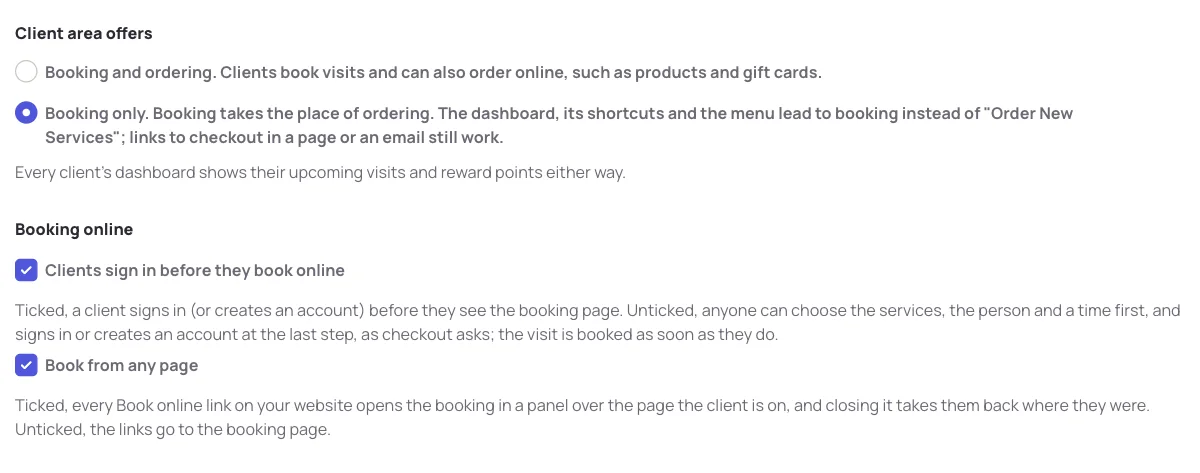
Beside it, Clients sign in before they book online decides when a client signs in. Ticked, they sign in before they see the booking. Unticked, they choose the services, the person and a time first, and sign in or make an account at the last step.