

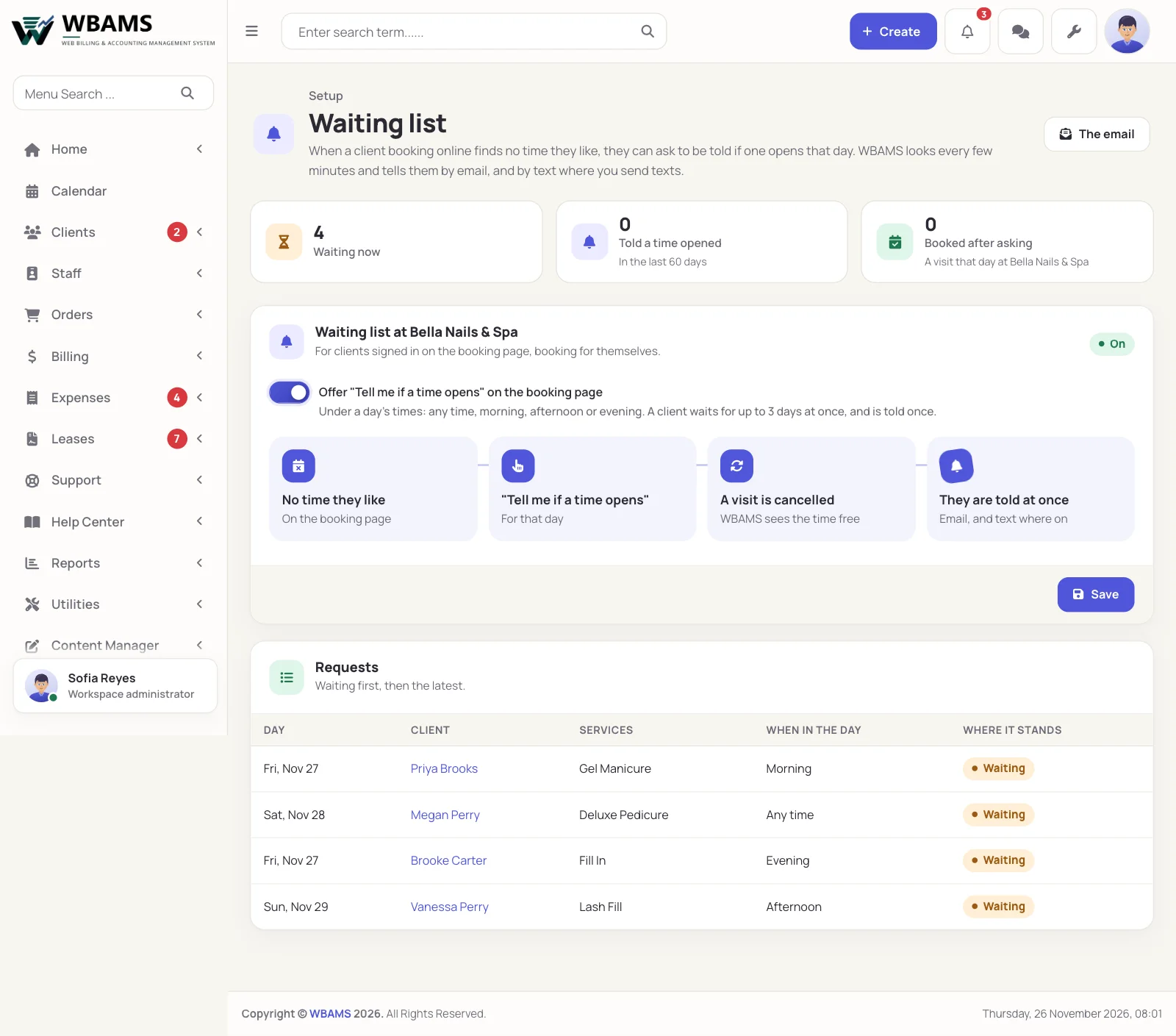
When a client booking online finds no time they like, they can ask to be told if one opens that day. WBAMS looks every few minutes. When a visit is cancelled and a matching time is free, the client is told at once, by email and by text where the location sends texts.
Not the walk-in waiting list
This is for clients booking online. The waiting list at the front desk, where walk-ins and check-ins wait their turn, is described in Customer check-in.
Switch it on
- Open System Settings → Waiting list.
- On the card Waiting list at your location, switch on Offer “Tell me if a time opens” on the booking page.
- Press Save.
What the client does
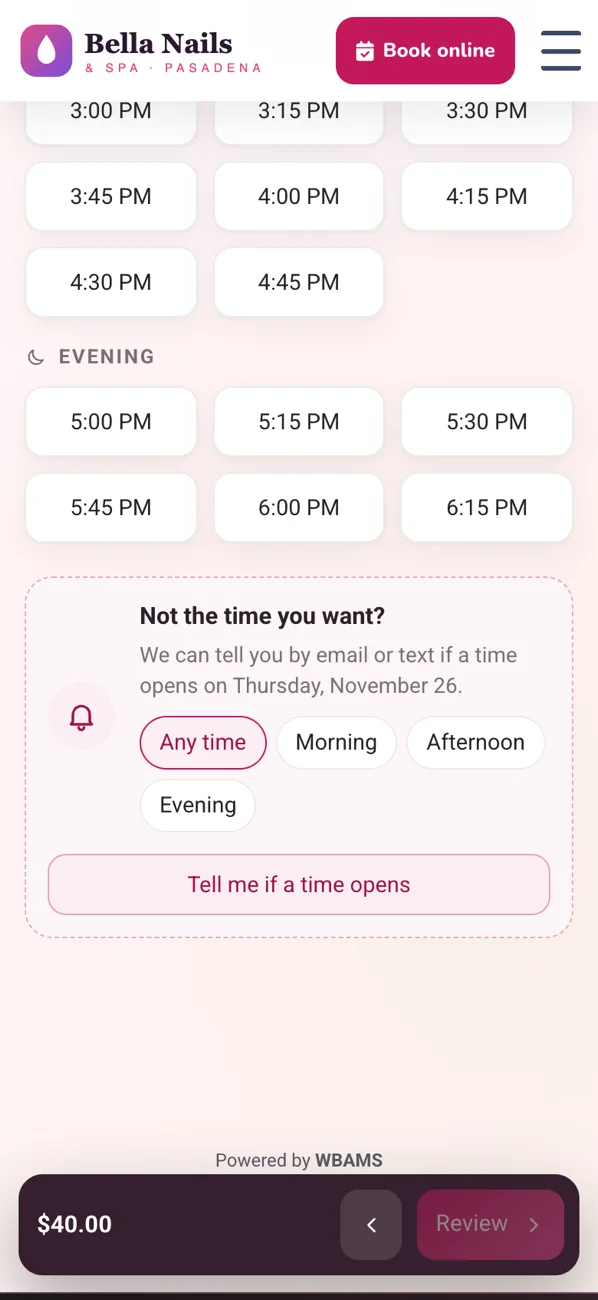
- Under a day's times on the booking page, a signed-in client booking for themselves presses Tell me if a time opens.
- They choose when in the day suits them: any time, morning, afternoon or evening.
- When a matching time is free, they are told once, and book it like any other time.
A client can wait for up to three days at once. Requests lists who is waiting, for which day, services and part of the day. The figures at the top count those told a time opened and those who booked after asking.
The email clients get is one of your email templates. The email at the top of the page opens it.