

A package is paid once and holds a number of visits, such as five gel manicures. A membership is paid each month and includes visits that month, such as two pedicures a month. Clients buy them on your website or at the desk, and use them at the register.
Make a package or a membership
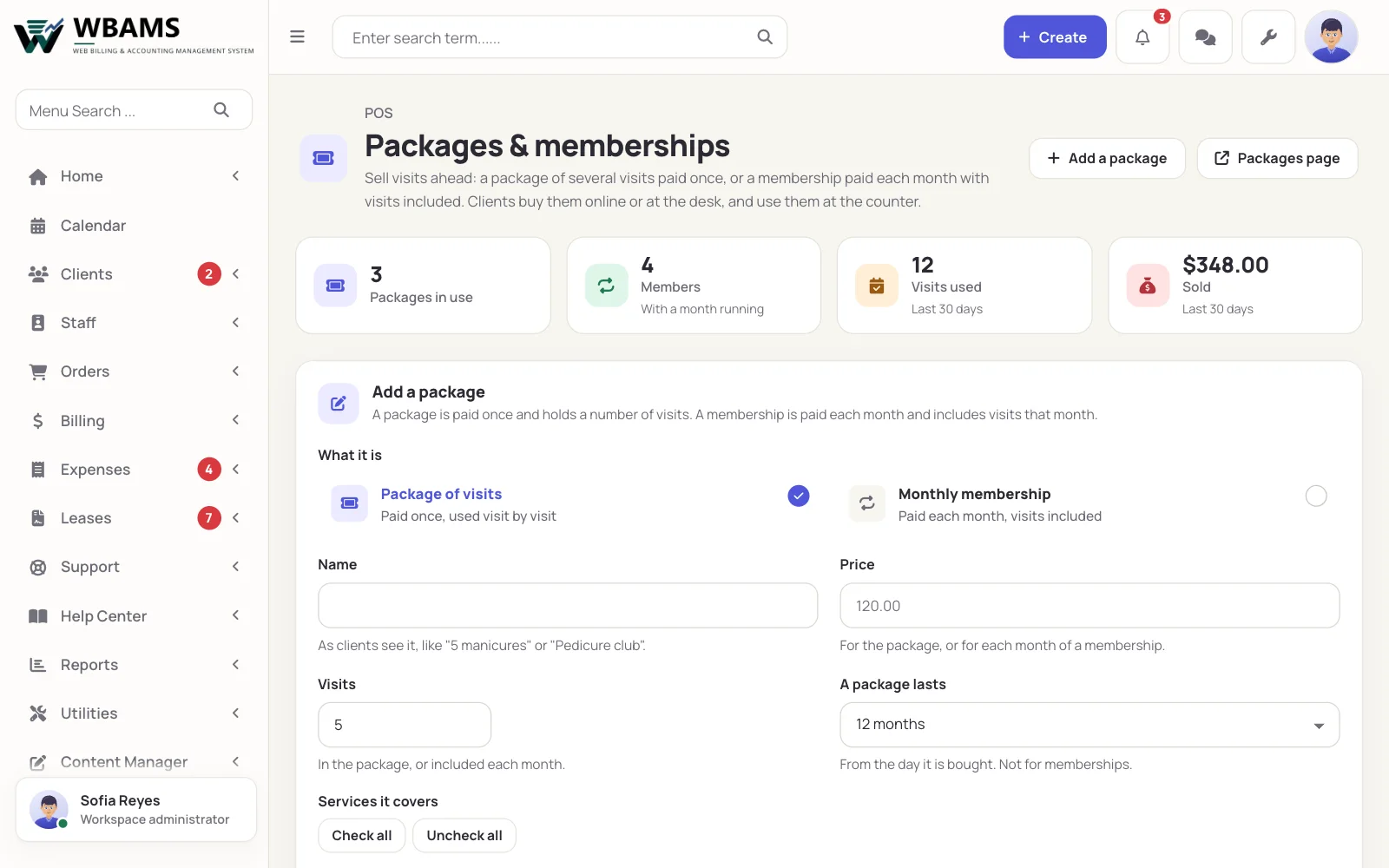
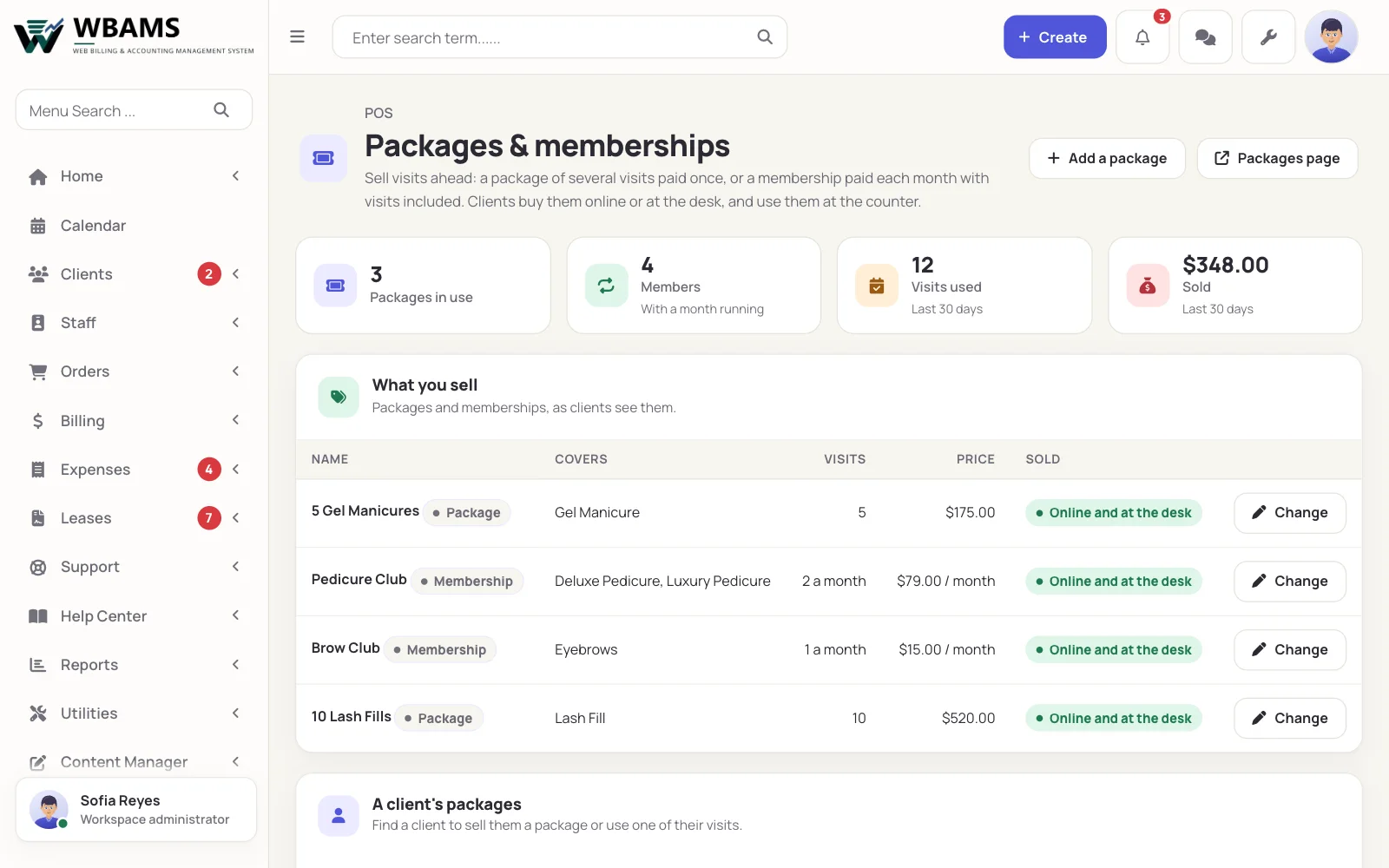
- Open System Settings → Packages & memberships and press Add a package.
- Under What it is, choose Package of visits (paid once, used visit by visit) or Monthly membership (paid each month, visits included).
- Type the Name as clients see it, such as “5 manicures” or “Pedicure club”, and the Price: for the package, or for each month of a membership.
- Type the number of Visits: in the package, or included each month.
- For a package, choose how long it lasts under A package lasts: Never runs out, or 3, 6, 12 or 24 months from the day it is bought.
- Tick the Services it covers. A visit can be used for any one of them.
- Choose Where: every location, or one.
- Add a Description if you like, switch on Sold online to sell it on your website, and leave On sale on.
- Press Save.
Turning On sale off stops selling it, and memberships are not renewed. What clients already have stays theirs.
Selling and using them
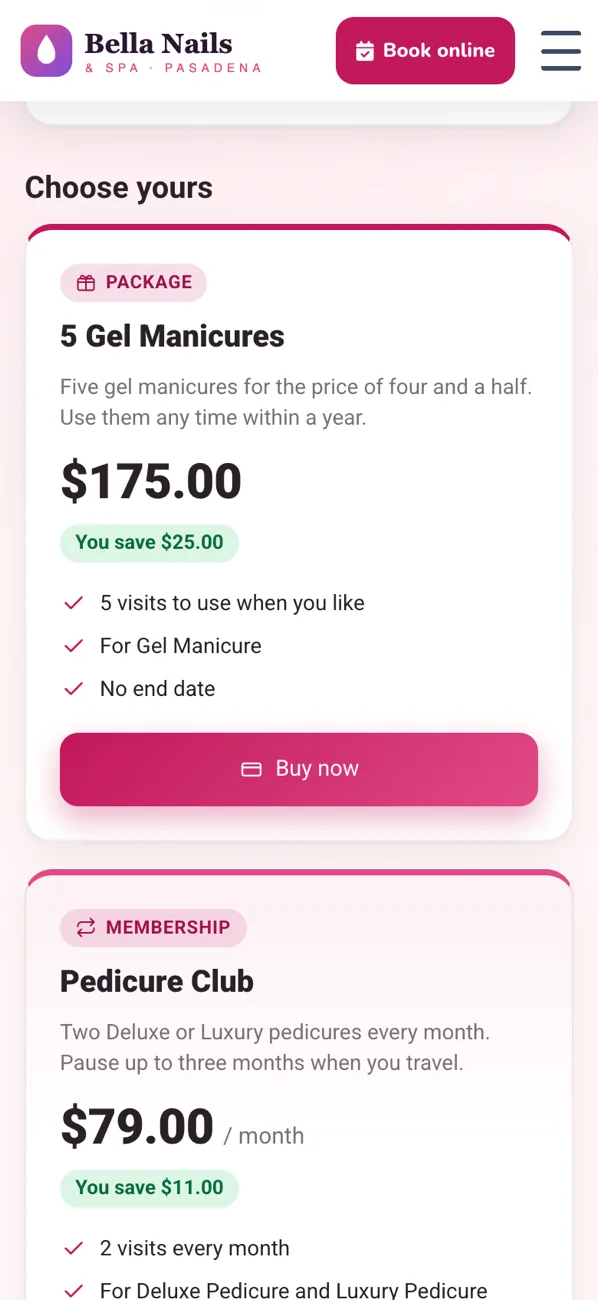
- Online. Packages and memberships with Sold online are on your website's packages page, paid by card. Packages page at the top of the page opens it.
- At the desk. Find the client under A client's packages on the same page, and sell them one.
- At the register. A visit is used from the client's package or membership on the ticket.
Memberships each month
A membership is invoiced each month and paid by the client's card on file, so it needs Stripe.
A membership can be paused for one to three months. The month already paid runs to its end, nothing is invoiced while it is paused, and it starts again by itself. To let clients pause their own, switch on Clients can pause their own on the card Pausing memberships, choose For at most and Times a year, and press Save. Clients then have a Pause button on their membership on the packages page.