
WBAMS POS 1.13.10 adds eighteen features that bring clients in and bring them back. Clients use them on your website and at the check-in tablet, and your team uses them in WBAMS and in EraPOS Hub. Each feature is switched on and set up in WBAMS by the salon's administrator, and each one works on its own, so you can start with one and add the rest later.
Where they are in WBAMS
Most of the features are tiles on System Settings, the wrench at the top right of WBAMS. Each tile opens a page with the location's figures at the top, the settings below, and what happened lately at the bottom. Menu Search on the left finds any of them by name.
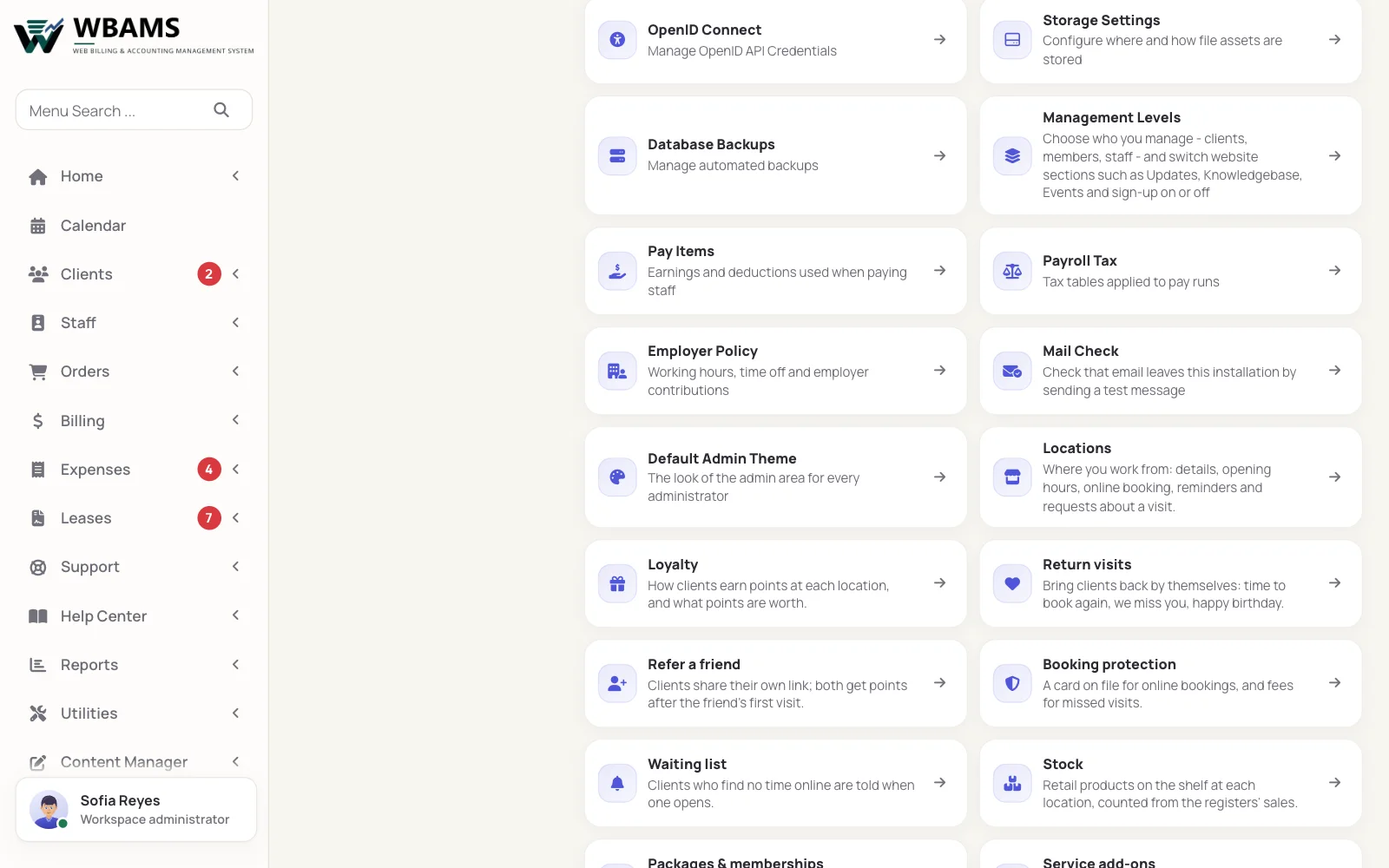
A few have another way in: Billing → Gift cards, Clients → Texts, the Care notes card on each client's page, and the Other tab of General Settings.
The guides
| Feature | What it does | Guide |
|---|---|---|
| Book from any page | Every Book online link opens the booking over the page the client is on. | Book from any page |
| Gift cards online | Clients buy gift cards on your website, with Apple Wallet and Google Wallet. | Gift cards online |
| Packages and memberships | Prepaid visits, and memberships paid each month. | Packages and memberships |
| Service add-ons | Small extras added to a service while booking. | Service add-ons |
| Standing visits | The same visit every few weeks, booked ahead. | Standing visits |
| Off-peak prices | Lower prices for quiet hours, or higher ones at the busiest times. | Off-peak prices |
| Rooms and equipment | A time is offered only while the room or chair a visit needs is free. | Rooms and equipment |
| Booking protection | A card on file for online bookings, and fees for missed visits. | Booking protection |
| The online waiting list | Clients who find no time are told when one opens. | The online waiting list |
| Care notes | Allergies, preferences, formulas and photos for each client. | Care notes |
| Intake forms | Health questions answered online or on the check-in tablet. | Intake forms |
| Two-way texts | Text with clients from the location's number. | Two-way texts |
| Text campaigns | One text to many clients, now or later. | Text campaigns |
| Return visits | Time to book again, We miss you and Happy birthday, sent by themselves. | Return visits |
| Refer a friend | Clients invite friends, and both get points. | Refer a friend |
| Retail stock | Products on the shelf, counted from the registers' sales. | Retail stock |
| Clock-in reminders and Running late | EraPOS Hub reminds staff to clock in and out, and staff tell the owner they are on their way. | Shift reminders and Running late |
What they need
- WBAMS POS 1.13.10 or later on your website. The update is under Utilities → System → Update WBAMS.
- Stripe as a payment gateway, for gift cards and packages sold online, memberships paid each month, and booking protection.
- An account for texts (Telnyx SMS or Twilio SMS), for two-way texts, text campaigns and anything sent by text. See Set up texts.
- Working email in WBAMS, for gift cards, waiting-list news, return visits and thank-you emails.
- EraPOS 2.0.18 or later on the store PC, for intake questions on the check-in tablet. Everything else works with the store PC as it is.
- EraPOS Hub 1.3.1 or later on staff phones, for shift reminders and Running late.
Packages, gift cards, add-ons, off-peak prices and standing visits booked online arrive at the store's registers on their own, the way online bookings always have. Nothing has to be entered twice.